
Healthcare revenue cycle management is how a practice gets paid for care, from scheduling and insurance checks through coding, claims, payer payments and patient balances. It runs in ten steps. Mistakes made early, such as a wrong member ID, usually surface weeks later as denials, rework and slow cash.
This guide walks through the ten steps in order, who usually owns each, and which numbers show whether the cycle is working. Every figure comes from a named source.
Key takeaways
- The revenue cycle is one loop from scheduling to the last patient payment, not just billing.
- Most avoidable denials start in steps 1 to 3, before the visit.
- Medicare fee-for-service claims generally must be filed within one calendar year of the date of service.
- Track five metrics monthly, defined the same way each time: A/R days, clean claim rate, denial rate, denial write-offs and cost to collect.
- Name one owner per step, and get a business associate agreement signed before any vendor sees patient data.
What healthcare revenue cycle management actually covers
Healthcare revenue cycle management (RCM) covers every administrative step between a patient asking for an appointment and the practice receiving the last dollar owed for that visit. It is one loop, not a billing department.
A mistyped member ID at the front desk becomes a rejected claim two weeks later, then a phone call to the payer, then a resubmission.
It also depends on what you treat. Visit types, authorization rules, modifiers and units differ by specialty, so the same ten steps carry different risks in a cardiology office and a behavioral health clinic. You can browse the specialty billing pages to see how those differences show up.
The 10 steps of the revenue cycle at a glance
The ten steps below run in order for each visit, though several happen in parallel across many patients. Front-end steps (1 to 3) protect the claim before the visit. Mid-cycle steps (4 to 6) turn the visit into a claim. Back-end steps (7 to 10) collect what is owed.
| Step | What happens | Usual owner | Typical failure |
|---|---|---|---|
| 1. Scheduling and registration | Capture demographics, insurance details and consent | Front desk | Wrong member ID or old address |
| 2. Eligibility and benefits | Confirm active coverage and patient cost share | Front desk or billing | Coverage ended; copay or deductible not collected |
| 3. Prior authorization | Get payer approval for services that need it | Authorization staff | Service performed with no approval on file |
| 4. Charge capture | Record every billable service from the visit | Clinician and billing | Missed or late charges |
| 5. Medical coding | Translate documentation into diagnosis and procedure codes | Coder | Code not supported by the note |
| 6. Claim scrubbing and submission | Check the claim, then send it to the payer | Biller | Missing data or wrong payer ID |
| 7. Payment posting | Post payer remittances and adjustments to accounts | Biller or posting clerk | Underpayment posted without a flag |
| 8. Denials and appeals | Work rejected or denied claims and appeal where justified | Denial specialist | Appeal window missed |
| 9. Patient billing and collections | Statements, payment plans, balance follow-up | Billing or patient accounts | Unclear statements; balances left to age |
| 10. Reporting and A/R follow-up | Review metrics and chase older unpaid claims | Manager and biller | No one owns the aging report |
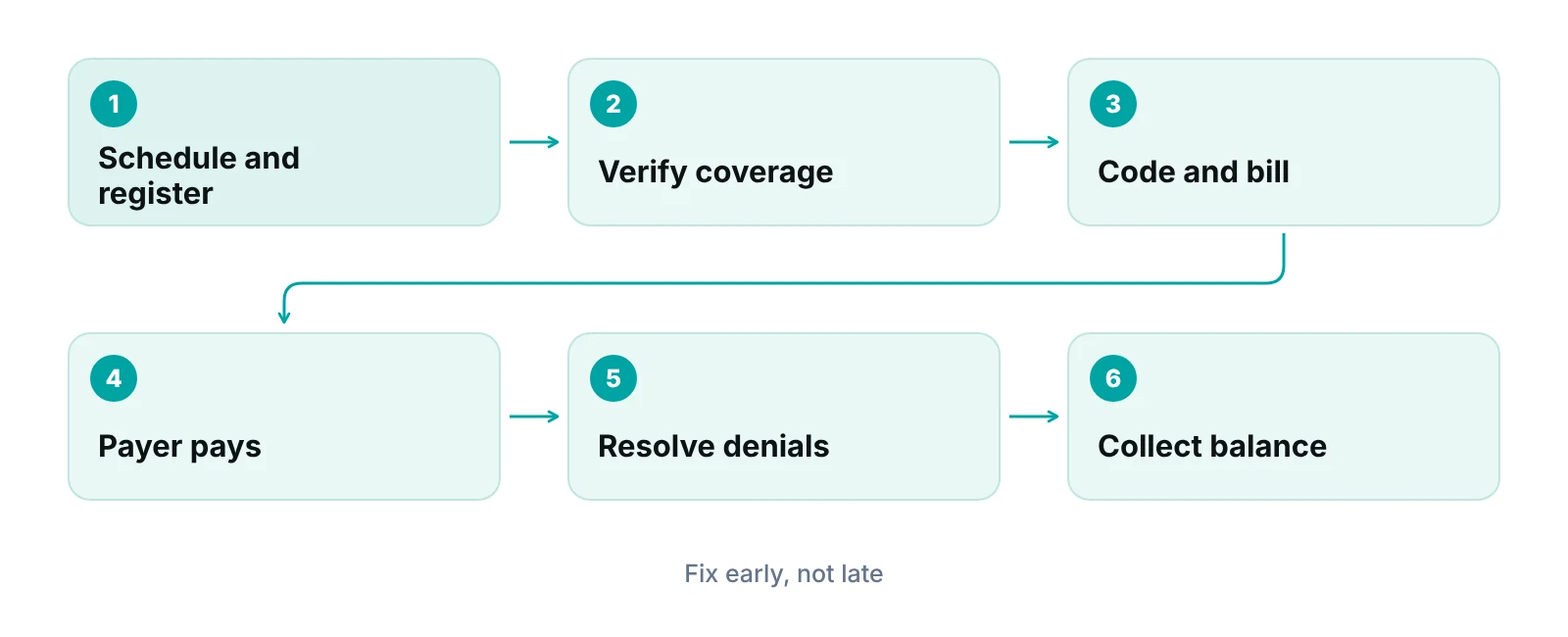
Steps 1 to 3: protect the claim before the visit
Most avoidable denials start before the patient reaches the exam room. The front end is where the practice collects the facts every later step depends on: who the patient is, which plan covers them, what the plan will pay and whether the payer needs to approve the service first.
Step 1: Scheduling and registration
Registration should capture the patient’s legal name, date of birth, address, the policy and group details exactly as printed on the card, and any secondary coverage. A single wrong digit in a member ID can reject an otherwise perfect claim.
Step 2: Eligibility and benefits verification
Checking eligibility means confirming that coverage is active on the date of service and learning the copay, deductible and coinsurance that apply. HIPAA names a standard electronic transaction for this check, the 270 request and 271 response, so most payers can answer it electronically (HHS adopted standards). Do it before the visit, not after the claim bounces. Our guide to patient insurance verification walks through the checks in detail.
Step 3: Prior authorization
Some plans require approval before certain services, such as advanced imaging, infusions or procedures. Build a list of the services in your practice that need approval for each major payer, and attach the approval number to the appointment. A claim for a service that needed approval and had none often cannot be fixed with a resubmission.
Credentialing sits just before step one
A practice can only be paid by a payer after its providers are enrolled with that payer. Enrollment is a separate, slow process, so start it long before a new provider sees the first insured patient.
Steps 4 to 6: turn the visit into a clean claim
Mid-cycle work converts what happened in the exam room into a claim a payer can process without a human touching it. The goal is a clean claim, meaning one that passes the payer’s edits on the first try.
Step 4: Charge capture
Charge capture is recording each billable service, supply and time-based unit from the visit. Missed charges are revenue the practice never asks for. Compare the day’s schedule against the day’s charges, and look for visits with no charge. See charge entry in medical billing for common leaks.
Step 5: Medical coding
Coders assign diagnosis codes (ICD-10-CM) and procedure codes (CPT and HCPCS) based on the clinician’s documentation. The note must support the code, not the other way round. When documentation is thin, the fix is a query to the clinician, not a guess.
Step 6: Claim scrubbing and submission
Scrubbing checks a claim for missing fields, mismatched codes and payer-specific rules before it leaves the practice. HIPAA’s standard professional claim is the 837, sent electronically (HHS adopted standards). HFMA tracks this stage with a clean claim rate: claims that pass edits with no manual work, divided by claims accepted for billing (HFMA MAP Keys, 2023 edition). Read what makes a claim clean for the edits that matter most.
Watch the filing deadline too. For Medicare fee-for-service, a claim generally must be filed within one calendar year after the date of service, with narrow exceptions for administrative error and retroactive entitlement (42 CFR 424.44). Commercial payers set their own limits by contract, and many are shorter, so keep a list of each payer’s limit where the billers can see it.
“A claim that is fixed before it leaves the building costs a few minutes. A claim that is fixed after a denial costs a phone call, a resubmission and weeks of cash flow.”
Steps 7 to 10: collect, correct and learn
After submission, the work shifts from building the claim to following it. The back end decides how much of what you billed turns into cash, and how fast.
Step 7: Payment posting
Posting matches each payer remittance (the 835 electronic remittance advice in HIPAA terms, per HHS) to the right claim and records payments, contractual adjustments and denials. Posting is also where underpayments show up, when you compare payments with contract rates.
Step 8: Denials and appeals
A denial is not always a dead end. Sort denials by reason, fix what is fixable, appeal what is justified, and feed the pattern back to registration or coding so the same error stops. Our guide to medical billing denial management covers the workflow.
Step 9: Patient billing and collections
Once the payer has paid, the remaining balance belongs to the patient. Send a clear statement that shows what the plan paid, what was adjusted and what the patient owes. Collecting the copay at the visit, which step 2 makes possible, is easier than chasing it later.
Step 10: Reporting and A/R follow-up
Accounts receivable follow-up means working the oldest unpaid claims first, on a schedule, with a named owner. Reporting turns each step into numbers so you can see which one is slipping. The next section lists the numbers worth tracking.
Where claims go wrong: what denial data shows
Public denial data for commercial plans is limited, but one federal dataset gives a useful picture. KFF analyzed 2023 insurer filings to CMS and found that HealthCare.gov plans denied about 20% of in-network claims, and that individual insurers ranged from 1% to 54% (KFF, 2025 update).
That figure covers ACA Marketplace plans only, not Medicare, Medicaid or employer coverage, so it is not your practice’s denial rate. It is still a reminder that the denial rate you see depends heavily on payer mix. The reasons behind those denials are worth studying, because several map to steps a practice controls.
| Reason category | Share of denied claims | Where a practice can act |
|---|---|---|
| Other reasons | 34% | Read remittance codes and group similar denials |
| Administrative reasons | 21% | Steps 1, 2 and 6: registration, eligibility, claim edits |
| Excluded service | 14% | Step 2: confirm what the plan covers before the visit |
| No prior authorization or referral | 9% | Step 3: check requirements and attach approval numbers |
| Medical necessity | About 6% | Steps 4 and 5: documentation that supports the codes |
Source: KFF analysis of CMS Transparency in Coverage data for plan year 2023 (updated September 30, 2025). HealthCare.gov plans only. Not every reason category is shown.
The same analysis found that fewer than 1% of denied claims were appealed by consumers and that insurers upheld 56% of the appeals that were filed (KFF). Those are patient appeals on Marketplace plans. Provider appeal rights and timelines differ by payer, so check each contract.
The numbers that tell you whether the cycle is healthy
A handful of metrics cover the whole cycle. Pick a definition and calculate it the same way every month. HFMA’s MAP Keys are a widely used set of definitions.
| Metric | How it is calculated | What it tells you |
|---|---|---|
| Net days in A/R | Net accounts receivable divided by average daily net patient service revenue | How long, on average, money is tied up in unpaid claims |
| Clean claim rate | Claims passing edits with no manual work divided by claims accepted for billing | How well steps 1 to 6 are working |
| Remittance denial rate | Claims denied divided by claims remitted | How often payers push claims back |
| Net denial write-offs | Net dollars written off as denials divided by average monthly net revenue | How much money denials permanently cost |
| Cost to collect | Total revenue cycle cost divided by patient service cash collected | What it costs to turn care into cash |
Source: HFMA, Indicators of Revenue Cycle Excellence (MAP Keys), 2023 edition. Net A/R uses the latest three months of revenue.
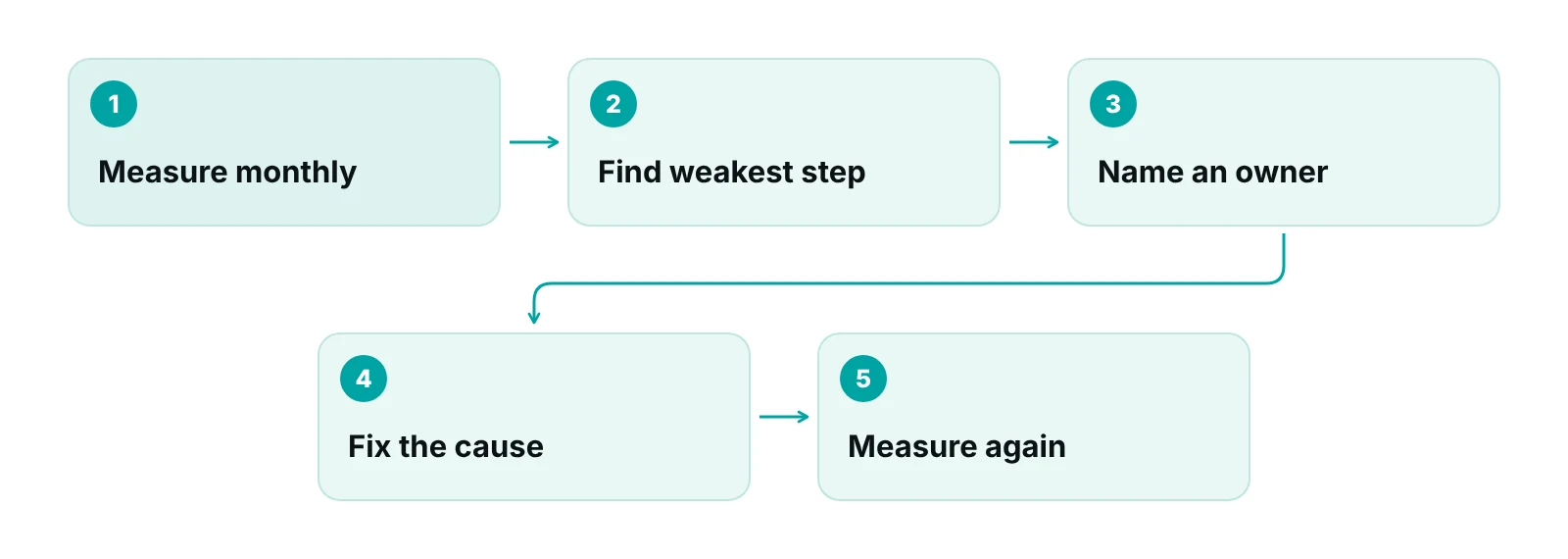
HFMA’s remittance denial rate counts both first-pass and appeal denials, so it is not the same as a first-pass denial rate. If you want to see registration and coding problems, track first-pass denials separately and say so on the report. Many practices also report a net collection rate. Definitions of that term vary between vendors and payers, so ask how it is calculated before comparing one report with another.
Our guide to revenue cycle KPIs shows how to set a target and review cadence for each. If you want a rough sense of what slow collections cost, the revenue calculator is a quick start.
In-house, outsourced or hybrid: how practices decide
Practices run the revenue cycle in-house, hand all of it to a billing company, or split it. No model is correct for every practice. The better question is which steps need your own staff’s knowledge of your patients and which are repeatable work that someone else can do at scale.
- In-house fits when you have trained billers, a clear owner for each step and reports you actually read. The cost is hiring, training and cover for absences.
- Outsourced fits when billing is too small a job to staff well, or when your own team is overloaded. The cost is distance: you depend on another team’s discipline and reporting.
- Hybrid keeps front-desk steps (1 to 3) inside the practice and sends coding, claims, denials and A/R to specialists.
Whichever you pick, ask for the same things in writing: who owns each of the ten steps, which metrics are reported and how often, and how you can see the status of any claim. If you are weighing outside help, end-to-end revenue cycle management is the service that covers all ten steps, and a free practice audit shows where your own cycle is leaking before you decide.
See where your revenue cycle leaks
Get a free practice audit that walks through your ten steps, shows where claims stall and tells you what to fix first.
Compliance and technology: what to check
Any outside party that handles patient data for your billing is a business associate under HIPAA. HHS lists claims processing, billing and practice management among typical business associate functions, and says a covered entity may disclose protected health information to a business associate only after getting satisfactory assurances in a contract or other written arrangement (HHS business associate guidance). In plain words: ask any billing vendor to sign a business associate agreement before they see a patient record, and keep the signed copy. The contract should state the work and require the associate to protect the information (HHS covered entities).
On the technology side, the useful question is not whether a tool has automation, but whether it shows you where each claim sits and who has it. A practice management system that tracks claims by stage with an owner for each one answers that at a glance. Look for data checks before submission, flags when a payment comes in below the expected amount, and permission levels so staff see only what they need.
“Software helps most when the process underneath it is already clear: one owner per step, one definition per metric.”
Our recommendations
- Name one owner for each of the ten steps. Write the owner next to each step, including the backup. Work that belongs to everyone gets done by no one.
- Verify coverage before the visit, not after the claim. Run eligibility checks for tomorrow’s schedule today, and record the patient’s cost share in the account.
- Keep a payer rules sheet. List each major payer’s filing limit, appeal window and services that need approval. Update it when a payer changes a rule.
- Track first-pass denials by reason. Group denials into registration, eligibility, authorization, coding and other. Fix the top category each month.
- Review five metrics monthly. Net days in A/R, clean claim rate, denial rate, denial write-offs and cost to collect, calculated the same way each time.
- Get a business associate agreement signed before sharing data. This applies to any billing, coding or software vendor that touches patient records.
See every claim, its stage and its owner.
RCM Finder's practice management portal tracks claims by stage with an owner, runs data-completeness checks before submission and flags payments that come in under the expected amount.
See how the RCM Finder portal works · Create a portal account
Disclosure: RCM Finder builds and sells this portal. It is a practice management system, not an EHR.
Bottom line
Healthcare revenue cycle management is ten connected steps, and the cheapest place to fix any of them is the one before the problem appears. Start by naming an owner for each step and measuring five numbers the same way each month. If you want help with the steps that cost your team the most time, see our medical billing services or ask for a free practice audit.
Frequently asked questions
What is revenue cycle management in healthcare?
It is the set of administrative and clinical-support steps that lead from scheduling a visit to receiving full payment for it. That includes registration, insurance checks, charge capture, coding, claim submission, payment posting, denial work and patient billing. The aim is to get paid correctly and promptly for the care delivered.
What is the difference between medical billing and RCM?
Medical billing is one part of RCM: preparing and sending claims and following up on them. Revenue cycle management is wider. It also covers what happens before the visit, such as registration, eligibility and authorization, and what happens afterward, such as denial analysis, patient collections and reporting.
What are the main steps in the revenue cycle?
Ten steps are common: scheduling and registration, eligibility and benefits, prior authorization, charge capture, coding, claim scrubbing and submission, payment posting, denials and appeals, patient billing and collections, and reporting with A/R follow-up. Some practices combine or split steps, but the order stays the same.
Which RCM metrics should a small practice track?
Start with net days in A/R, clean claim rate, denial rate, net denial write-offs and cost to collect. HFMA publishes definitions for these in its MAP Keys. Calculate each one the same way every month, because the trend matters more than any single value.
How long do I have to file a Medicare claim?
For Medicare fee-for-service, the claim generally must be filed within one calendar year after the date of service, with limited exceptions for administrative error and retroactive entitlement (42 CFR 424.44). Commercial payers set their own limits by contract, so check each payer’s agreement.
Should my practice outsource revenue cycle management?
It depends on your staff, volume and how well you can see your own numbers. Many practices keep front-desk steps in-house and outsource coding, claims and A/R. Before you sign with any vendor, ask who owns each step, which reports you will receive and for a signed business associate agreement.
Get your free practice audit
Tell us about your practice. We will contact you using the details you give.
- A review of your recent claims, denials and A/R aging
- Where your front desk and prior authorizations slow payment
- A prioritized fix list you keep, whether or not you hire us
Pricing is quoted after the audit, based on your volume and the services you choose. Prefer to talk? Call +1 (302) 556-2288.
Sources
- Indicators of Revenue Cycle Excellence (MAP Keys), 2023 Edition — HFMA (2023)
- Claims Denials and Appeals in ACA Marketplace Plans in 2023 — KFF (2025)
- 42 CFR 424.44 Time limits for filing claims — eCFR (U.S. Government) (2026)
- Business Associates (HIPAA Privacy guidance) — HHS Office for Civil Rights (2026)
- HIPAA for Professionals: Covered Entities and Business Associates — HHS Office for Civil Rights (2026)
- Adopted Standards and Operating Rules — HHS (2026)
Disclaimer: This article is educational and is not legal, coding, compliance or financial advice. Payer rules, deadlines and contract terms vary; confirm requirements with each payer and your own advisers.