
Medical website design that works for a practice answers four patient questions fast: what you treat, who accepts their insurance, where you are, and how to book. Build those answers into a clear menu, mobile-friendly pages, accessible text, and one obvious next step on every page. Polish and animation come later.
This guide replaces an older gallery of large organizations’ homepages. Those sites are built for national audiences, and a single-location practice cannot copy their budgets. What a practice can copy is their discipline: clear menus, plain language and one main action per page. For the search and advertising side, see our healthcare SEO guide.
Key takeaways
- Start with patient questions: services, insurance, location, hours and how to book.
- Keep the menu short and put one clear call to action on every page.
- Test on a phone first, and check Google’s published speed thresholds for your pages.
- Accessibility is a legal and a usability issue: HHS’s web rule uses WCAG 2.1 AA, with dates now pushed to 2027 and 2028.
- Review every tracking pixel and form before launch, because HIPAA can apply to them.
What a medical practice website has to do
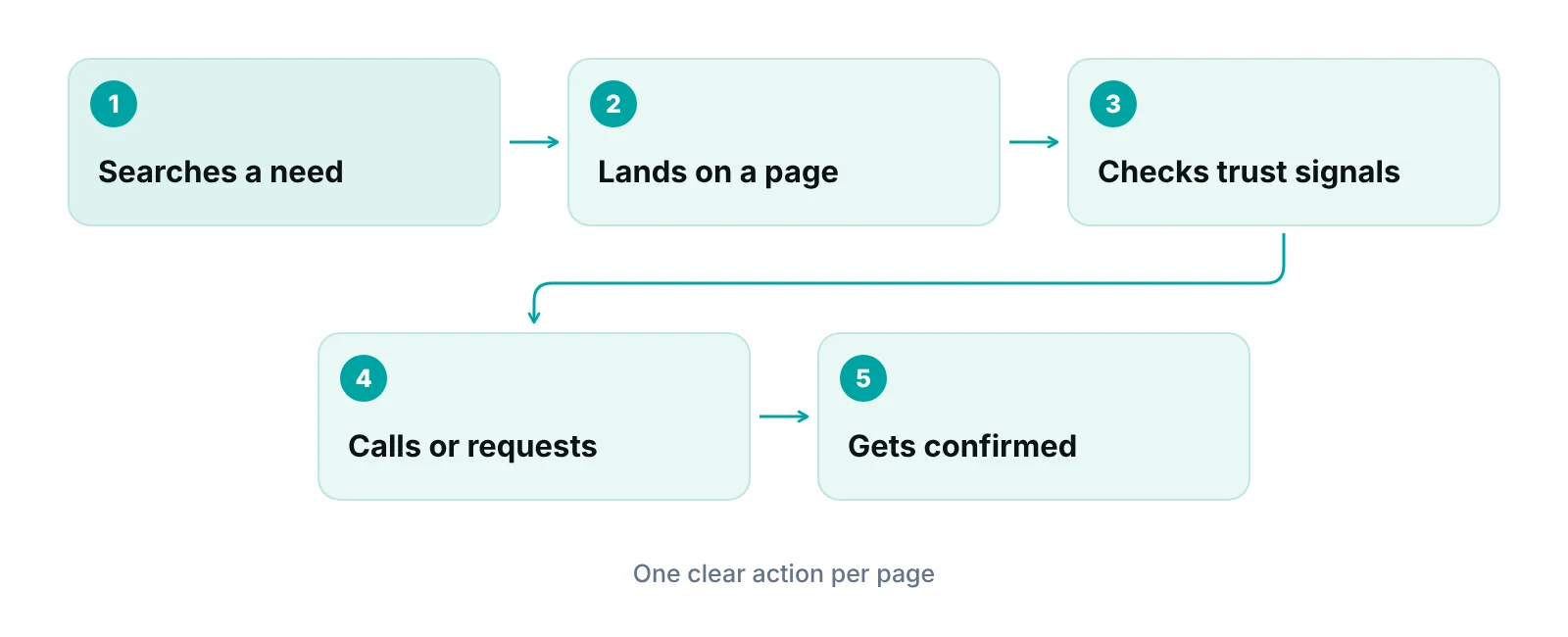
A practice website has one job: help a person decide to call or book, then make that step easy. Everything else, including design style, supports that job. The test is simple. Can a first-time visitor find your services, your insurance position, your location and a way to contact you within a few seconds on a phone?
Large health-system sites win on search tools and content depth. A practice wins on clarity. A site that says what you treat, who treats it and how to be seen is already ahead of many sites with more design polish.
Page-by-page content that matters
| Page | Must answer | Common gap |
|---|---|---|
| Homepage | What you treat, where you are, how to book | Slogans instead of services; no phone number visible on mobile |
| Service or condition pages | What the service involves, who it is for, what happens next | One thin paragraph covering many services |
| Provider pages | Training, focus areas, languages, a clear photo | Missing or dated bios; no link to book with that provider |
| Insurance and billing | Which plans you accept and how to ask about coverage | No page at all, or a list that has not been updated |
| Locations and hours | Address, map link, parking, hours, phone | Hours that differ from your Google Business Profile |
| Contact or appointment request | A short form, a phone number, expected reply time | Long forms; no confirmation message |
Structure, navigation and search
Keep the main menu short and name items the way patients talk. A menu with five to seven clear labels (Services, Providers, Insurance, Locations, Patient Forms, Contact) beats a long list of department names. Put the phone number and the main booking action in the header on every page.
Add a site search box only if you have enough content for it to help. For most single-location practices, a clear service list and good page titles do more than a search tool. Group service pages by what the patient is trying to fix, such as back pain or migraines, rather than by billing codes or internal departments.
If your practice sits in a specific specialty, the page content changes: a dental site needs cosmetic and emergency paths, while a behavioral health site needs privacy reassurance near the form. See our specialty-specific pages for how each specialty’s operations differ, and our dental SEO guide for dental-specific search habits.
“A practice website is a front desk that never closes. If it cannot answer the five common phone questions, the phone will keep ringing.”
Content, photos and trust signals
Patients judge a practice quickly, so show real people and real places. Use your own photographs of your staff and building instead of stock images where you can. Stock photos are not a problem on their own, but a page made only of them tells a visitor little about who they will meet.
- Write service pages in plain language at a level a general reader can follow, and keep clinical terms where patients search for them.
- Have a clinician review service and condition pages, and show the review date. Health content is held to a higher standard than most pages.
- Use short videos only where they help, such as a provider introduction or a facility walkthrough. Do not auto-play with sound.
- Show the signals that are real for you: board certification, hospital affiliation, languages spoken, and patient reviews you can link to.
- Do not publish outcome claims or guarantees you cannot document, and avoid before-and-after claims unless your counsel has approved them.
Patient reviews belong on your site and on your Google profile. Our guide to online reputation management for doctors covers how to ask for them and respond.
Mobile layout and page speed
Design for the phone first. Google says it uses the mobile version of a site for indexing and ranking, and it advises that the mobile site contain the same content as the desktop site (per Google Search Central). If your phone layout hides your insurance list or your provider bios, you may be hiding them from search as well.
For speed, Google’s published Core Web Vitals give you targets. A page is rated good when its Largest Contentful Paint is 2.5 seconds or less, Interaction to Next Paint is 200 milliseconds or less, and Cumulative Layout Shift is 0.1 or less, measured at the 75th percentile of visits (web.dev). Ask your designer to report these for your homepage and top service pages, not just for a lab test.
| Metric | What it measures | Good threshold |
|---|---|---|
| Largest Contentful Paint (LCP) | How fast the main content appears | 2.5 seconds or less |
| Interaction to Next Paint (INP) | How quickly the page responds to taps and clicks | 200 milliseconds or less |
| Cumulative Layout Shift (CLS) | How much the layout jumps while loading | 0.1 or less |
Source: Google web.dev, Core Web Vitals thresholds (assessed at the 75th percentile of page views)
Common causes of slow practice sites are oversized photos, many plugins, auto-playing video, and third-party chat or scheduling widgets. Compress images, remove plugins you do not use, and test every widget you add.
Accessibility: what the HHS rule says
Accessible design means people using screen readers, keyboards, magnification or voice control can use your site. For health organizations there is now a federal benchmark. HHS’s 2024 Section 504 rule requires recipients of HHS federal financial assistance to make their web content and mobile apps conform to WCAG 2.1 Level AA (Federal Register, 2026).
In May 2026 HHS pushed the compliance dates back one year by interim final rule. Recipients with 15 or more employees now have until May 11, 2027, and recipients with fewer than 15 employees have until May 10, 2028 (HHS). Whether your practice counts as a recipient depends on the funding you receive, so ask your attorney. Either way, the standard is a sensible target for any practice.
- Text and background colors with enough contrast, and text that can be enlarged without breaking the page.
- Full keyboard navigation with a visible focus indicator.
- Descriptive alt text on informative images, and captions or transcripts for videos.
- Labeled form fields and error messages that say what went wrong.
- Large, well-spaced tap targets, and link text that makes sense out of context.
Overlay widgets are not a fix
Ask any vendor how they test accessibility: automated scans plus manual keyboard and screen-reader checks. A script added on top of a page does not replace accessible design, and it should not be your only answer if a patient complains.
Forms, tracking pixels and HIPAA
Marketing tools can create HIPAA risk. HHS’s Office for Civil Rights says regulated entities must not use online tracking technologies in ways that lead to impermissible disclosures of protected health information, and that the rules cover tools such as cookies, tracking pixels and session replay scripts (HHS OCR).
OCR’s page separates pages where the patient is signed in, such as a portal, from public pages. On signed-in pages, tracking tools generally have access to PHI. On public pages, OCR says the rules generally do not apply unless the page involves things like appointment scheduling or login and registration details. The same page notes that on June 20, 2024, a federal court in Texas vacated part of OCR’s guidance, in a case brought by the American Hospital Association, and that HHS was evaluating next steps.
The safe approach is to treat any page with a form, a login or a booking step as sensitive. Audit every analytics, advertising and chat script on those pages, and ask each vendor whether it will sign a Business Associate Agreement. Our HIPAA compliance checklist for medical practices covers the wider program.
Template, agency or hybrid: how to choose
The right choice depends on how many locations you have, how fast your services change and who will keep the site updated. A new site that nobody updates will age as fast as the old one.
| Option | Best when | Watch for |
|---|---|---|
| Template builder (DIY) | One location, few services, a staff member who can edit pages | Limited control over speed, accessibility and tracking; the template may not meet WCAG 2.1 AA |
| Custom build with an agency | Several locations or specialties, complex service pages, a need for custom forms | Ask who owns the site, hosting and code; ask for a maintenance plan |
| Hybrid (template plus expert setup) | You want a fast launch with professional structure and checks | Make sure the expert reviews accessibility and tracking, not only design |
Questions to ask any web designer
- Who owns the domain, hosting accounts and site files after launch?
- How do you test accessibility, and which WCAG version and level do you build to?
- Which analytics, ad and chat scripts will be on pages with forms, and will each vendor sign a Business Associate Agreement?
- What are the Core Web Vitals scores for the current site and for the new one?
- Will you keep our old URLs, or set 301 redirects for any that change?
- Who writes and reviews the service page content, and who updates it after launch?
Not sure what your site is missing?
Get a free practice audit. We review how new patients find and contact you, and where your front desk and billing follow-up lose them.
Redesign or fix? A decision table
You do not always need a full rebuild. Fix what is broken first, and redesign when the structure itself is the problem.
- Slow on mobile: fix first by compressing images and removing plugins; rebuild only if the platform itself cannot be made fast.
- Thin or outdated service pages: fix first by rewriting top services and adding provider review dates; rebuild if the page structure cannot hold more content.
- Insurance information hard to find: fix first with one new page linked from the menu; rebuild if the menu and templates cannot change.
- Accessibility problems found in an audit: fix contrast, labels, alt text and keyboard issues; rebuild if the theme or builder blocks the fixes.
- Privacy questions about forms or scripts: remove or replace the scripts; rebuild if sensitive pages cannot be separated from marketing tools.
- A move, merger or new specialty: update locations and bios; rebuild if the information architecture no longer fits the practice.
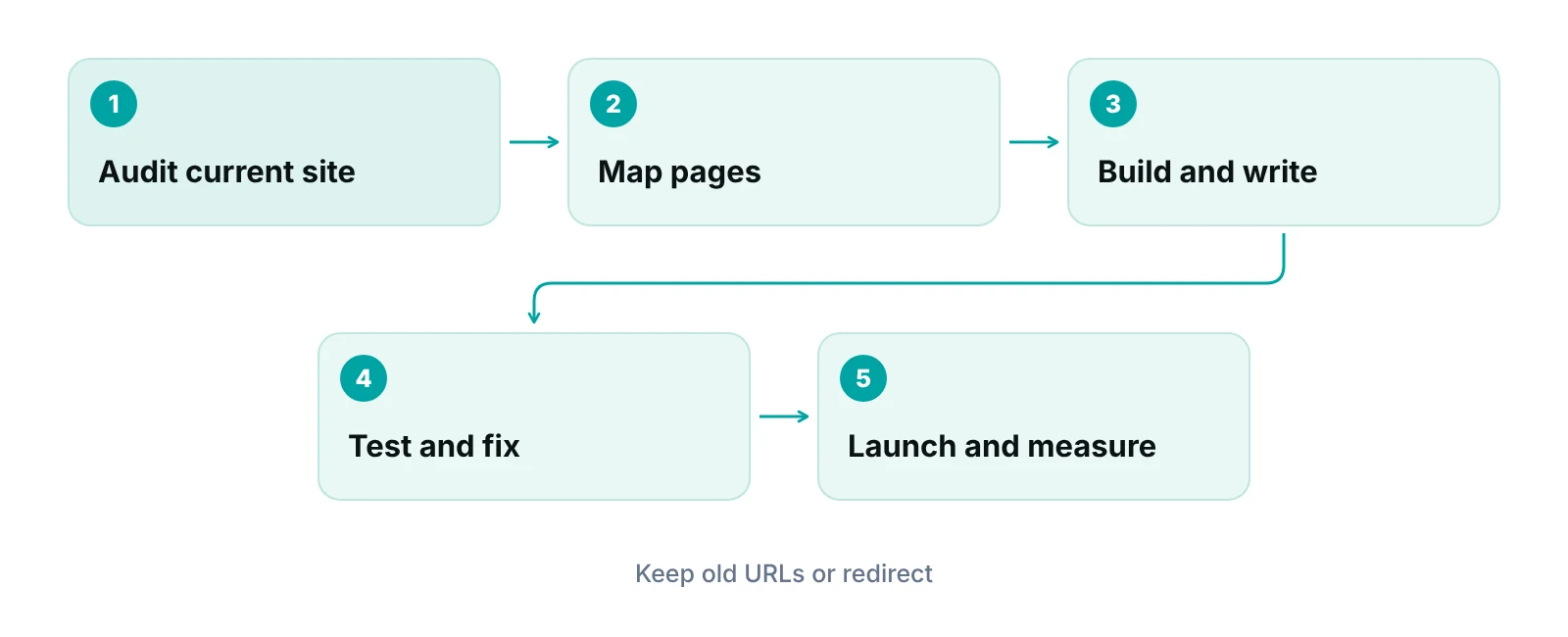
Before launch, keep a list of every current URL and its search traffic, because dropping a page with traffic can cost you calls. Then measure what matters: calls, form submissions and booked visits, not page views. Our medical marketing ROI guide shows how to connect website activity to new patients.
After launch: connect the site to the front desk
A website only produces patients if someone answers the call and follows up on the form. Set a reply target for online requests and assign an owner. If front desk capacity is the limit, virtual medical assistants and appointment scheduling support can take calls and requests in your time zone. For wider channel choices, see our marketing strategies for small medical practices, and for what online booking can do for the practice, our online appointment scheduling benefits article.
Keep the marketing plan joined to the site as well. Our healthcare digital marketing service works on local search, ads and reputation alongside website content.
Our recommendations
- Write the patient questions first. Before choosing colors, list the 10 questions your front desk answers most. Make sure the homepage and service pages answer them in plain words.
- Own your accounts. Keep the domain, hosting and analytics accounts in your practice’s name. Give designers access, not ownership.
- Make the next step obvious. Put the phone number and booking action in the header and at the end of each page. Test them on a phone.
- Audit scripts before launch. List every analytics, ad and chat script on pages with forms or booking, and confirm business associate terms with each vendor where required.
- Run an accessibility check, then fix. Combine an automated scan with a manual keyboard and screen-reader pass, and fix issues on the pages that bring in the most patients first.
- Set a review date for health content. Put a clinician review date on service and condition pages, and schedule a yearly review so hours, insurance and providers stay accurate.
Bottom line
Good medical website design is plain, fast, accessible and tied to how your practice actually takes calls. Start with the patient questions, fix the biggest gaps, and check tracking and accessibility before any launch. If the website is only one part of a bigger patient-flow problem, our healthcare digital marketing team can review the whole path from search to scheduled visit, and our virtual medical assistant service can staff the phones. Run the numbers in our revenue calculator, or ask for a free practice audit.
Frequently asked questions
What makes a good medical website design?
A good one answers a patient’s first questions quickly: what you treat, who the providers are, which insurance you accept, where you are and how to book. It works well on a phone, loads fast, meets accessibility standards and has one clear call to action on each page. Style matters less than clarity.
How many pages does a medical practice website need?
There is no fixed number. Most practices need a homepage, one page per major service, provider pages, an insurance and billing page, a locations and hours page, patient forms, and a contact page. Add pages when you have something specific to say, not to reach a count.
Does my practice website have to be ADA or WCAG compliant?
HHS’s Section 504 rule requires recipients of HHS federal financial assistance to meet WCAG 2.1 Level AA for web content, with dates now May 11, 2027 for 15 or more employees and May 10, 2028 for fewer than 15. Whether you are a recipient depends on your funding, so check with your attorney. WCAG 2.1 AA is a sound target regardless.
Can I use Google Analytics or a Meta pixel on my practice website?
Be careful on pages with forms, logins or booking. HHS OCR says HIPAA covers online tracking technologies when they disclose protected health information, and part of its guidance was vacated by a federal court in June 2024. Review each script, ask vendors about a Business Associate Agreement, and get legal advice before you launch.
How often should a medical practice redesign its website?
Redesign when the structure no longer fits the practice, not on a calendar. Fix speed, content and accessibility problems on a rolling basis. Review content at least yearly, and consider a rebuild if you add locations or specialties, or the platform cannot be made fast or accessible.
How do I get my website to bring in more patients?
Make sure each service page answers the questions patients search, keep your Google Business Profile consistent with the site, collect reviews, and answer every call and form quickly. Track calls, forms and booked visits. A good site cannot convert patients that the front desk fails to follow up.
Get your free practice audit
Tell us about your practice. We will contact you using the details you give.
- A review of your recent claims, denials and A/R aging
- Where your front desk and prior authorizations slow payment
- A prioritized fix list you keep, whether or not you hire us
Pricing is quoted after the audit, based on your volume and the services you choose. Prefer to talk? Call +1 (302) 556-2288.
Sources
- Extension of Compliance Dates for Nondiscrimination on the Basis of Disability; Accessibility of Web Information and Services — Federal Register (HHS OCR) (2026)
- HHS Extends Mobile and Web Accessibility Deadline — U.S. Department of Health and Human Services (2026)
- Use of Online Tracking Technologies by HIPAA Covered Entities and Business Associates — HHS Office for Civil Rights (2024)
- How the Core Web Vitals metrics thresholds were defined — Google web.dev (2023)
- Mobile site and mobile-first indexing best practices — Google Search Central (2024)
Disclaimer: This article is educational and is not legal, compliance or technical advice. Accessibility and HIPAA requirements depend on your funding, location and the tools you use, and rules and dates can change. Check current HHS, Federal Register and Google sources and speak with your attorney before you act.
