
An entity code rejection is a claim rejection that points to one party on the claim, such as the billing provider or the subscriber, as the source of the error. The payer's 277CA acknowledgment pairs a status code with an entity code. Correct that party's data and resubmit; a rejection is not a denial.
Billing staff usually meet this rejection as a line on a report: a status code, a number and two letters. The two letters are the entity code. They tell you who on the claim the payer or clearinghouse could not accept, which is the fastest way to find the field that needs fixing. This guide explains what the entity code is, how to read it, the causes that payers actually publish, and the cheapest places in your workflow to catch the error. It also covers the questions practices ask about entity codes in general, so you do not need a second article. See also our guide to clearinghouse rejection codes for the wider list of reject messages.
Key takeaways
- The 277CA status line has three parts: a category code, a status code and an entity identifier code that names the party involved.
- Read the entity code first: it tells you whether to fix the billing provider, the subscriber, the payer or the service location.
- A rejection is not a denial. Medicare treats an unprocessable claim as not filed, so you correct and resubmit rather than appeal.
- Rejections count against your filing window: fix them within days, not at month end.
- The cheapest fix is a pre-submission check on provider, member and payer data, run before the claim leaves your office.
What an entity code rejection is
An entity code rejection is a rejection where the acknowledgment names a specific party, or entity, on the claim as the problem. “Entity code rejection” is billing-office shorthand rather than an official category. What the payer or clearinghouse actually sends back is a claim acknowledgment, the 277CA, and each rejection line in it carries an entity identifier code beside the reason.
An entity is simply a party to the claim: the billing provider, the rendering provider, the subscriber, the payer, a service facility. Each one is identified in its own block of the electronic claim, so the entity code points to the block that failed. Medicare contractor guidance describes the entity identifier code as the code used to identify an organization, facility, provider, physical location or individual, and says it is used only when the acknowledgment includes it. (CGS Medicare 277CA guide)
Older versions of this page described the term as covering only NPI and tax ID errors. That is too narrow. The entity can be the subscriber or a facility, and the problem can be a member ID, an address or a postal code as easily as a provider number.
How to read the 277CA message
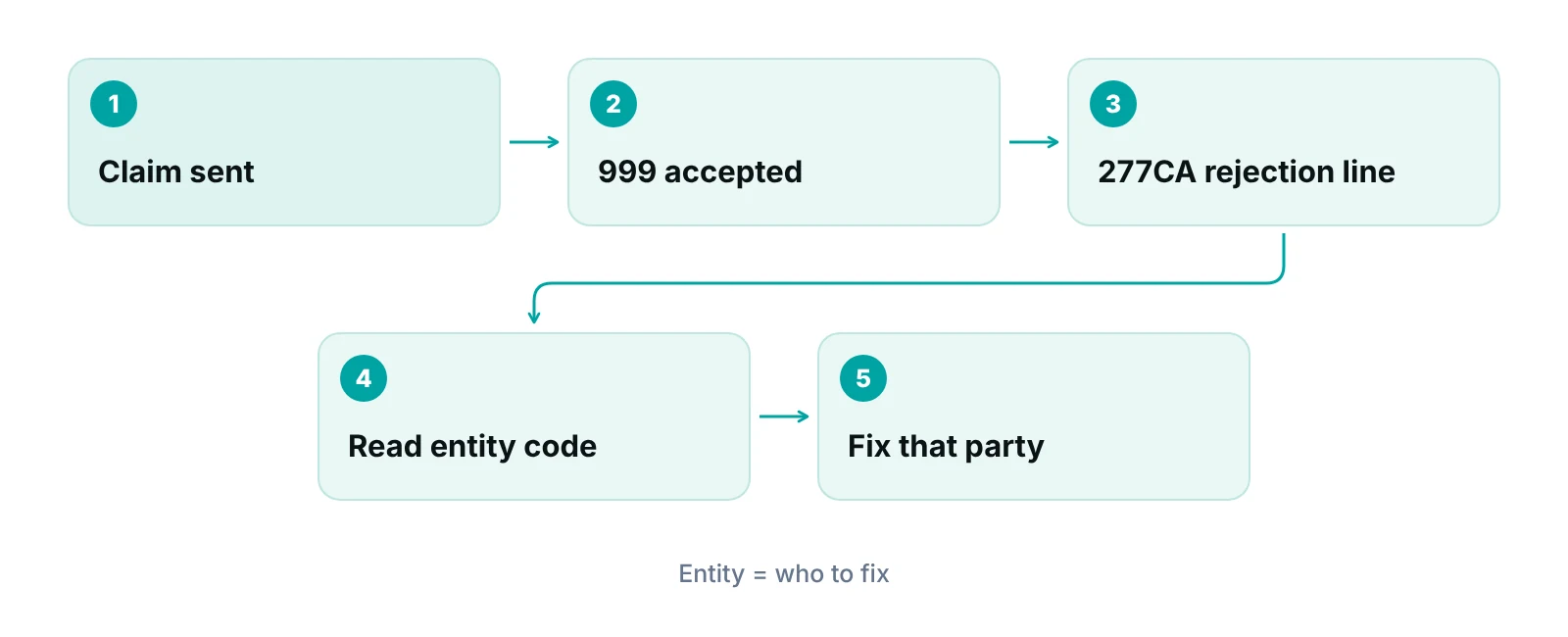
A 277CA is a receipt, not a payment decision. It tells you whether the payer’s system accepted the claim for processing and, if not, why. Medicare contractors send a 999 acknowledgment first, then a 277CA once the file is accepted (CGS Medicare EDI FAQ). One health plan’s guide notes that the 277CA does not show pay, pend or deny status; for that you use a claim status inquiry (CarePartners of Connecticut 277CA guide).
Each rejection sits in a status (STC) segment with up to three fields. Your clearinghouse may display them in plain English, but the raw report looks like A7:562:85.
| Field | What it tells you | Example |
|---|---|---|
| Category code (CSCC) | The kind of outcome. A3 means returned as unprocessable and must be resubmitted. A6 is missing information, A7 is invalid information, A8 is a relational field in error. | A7 = rejected for invalid information |
| Status code (CSC) | The specific reason. Payers publish their own lists, so the same number can read differently by payer or line of business. | 562 = a provider NPI is not in the payer’s system (one health plan’s list) |
| Entity identifier code (EIC) | The party the reason applies to. 85 is the billing provider, IL the subscriber, 82 the rendering provider and PR the payer. | 85 = billing provider |
| Where to look it up | Enter the codes in your payer’s or Medicare contractor’s 277CA lookup tool, and confirm the line of business first. | Part A and Part B edits can differ |
Source: CGS Medicare 277CA dental/999 companion guide and 277CA edit guide; First Coast 5010 reject code lookup guide; CarePartners of Connecticut 277CA guide; CareSource claim rejection notifications (accessed 2026-10-14). Code lists are payer-specific.
A worked reading: A7:562:85 says the claim was rejected for invalid information (A7), the reason is a provider NPI problem (562 on that health plan’s list), and the entity is the billing provider (85). You would not touch the patient fields. You would check the billing provider’s NPI, taxonomy and enrollment with that payer.
Payer lists differ
Status codes and their wording are set by each payer and contractor. A reason that reads one way on a Medicare report can read differently on a commercial plan. Use the payer’s own lookup or the clearinghouse’s rejection description, not a generic list.
Common causes, grouped by the party named
Payers publish the reasons they reject for. The examples below come from Medicare contractor and health plan documents. They are not a ranking: no source we found gives a reliable percentage split, so any article that does is guessing.
Billing provider (entity 85)
- NPI not recognized. Federal rules require a covered provider to use its NPI to identify itself on standard transactions where an identifier is required, and to obtain NPIs for subparts that would be covered providers on their own (45 CFR 162.410). Health plan lists include provider NPI not on file (code 562 at CareSource) and an invalid provider ID (CarePartners). Our guide to Type 1 and Type 2 NPIs shows which one belongs on a claim.
- Tax ID not on file. CareSource lists code 128 for a provider tax ID not in its system. A Medicare contractor guide lists a billing provider EIN not found as a relational-field error (A8).
- Not linked to the submitter. The same Medicare guide shows a billing provider not associated with the submitter as an A8 reject. This is common after a practice changes clearinghouse or billing company and the enrollment is not updated.
- Taxonomy, license or sanction flags. CareSource lists missing or invalid taxonomy (145), expired or missing license or certification (142) and a CMS/OIG preclusion (632).
- Address format. Medicare contractors state that the 5010 format requires a physical billing provider address in loop 2010AA, and claims with a P.O. Box in its place receive an error (CGS Medicare EDI FAQ).
Subscriber and member (entity IL)
- Member ID invalid or not found. CarePartners lists “invalid member ID” and “invalid subscriber” as A7 rejections when eligibility or the subscriber cannot be found.
- Wrong ID format. Medicare contractor edits check the format of the Medicare number in the subscriber block (A7/164/IL).
- Group fields that should be empty. For Medicare, the subscriber group name and group number must be left empty; filling them triggers a rejection (reasons 663 and 732).
- Coverage ended. CareSource lists code 88 when eligibility ended before the discharge date. This is why verifying insurance before the visit prevents more rejections than any billing-side fix.
Payer, service facility and claim data
- Wrong payer. A health plan guide shows a claim sent to the wrong payer as a return that must be resubmitted (A3).
- Service location ZIP code. Medicare contractors require a valid 9-digit ZIP code for the service facility (reason 500, entity 77).
- Corrected claim without the original claim ID. CareSource rejects corrected claims that do not carry the original claim ID (code 538).
- Dates, codes and modifiers. Missing diagnosis codes (255), invalid procedure and modifier combinations (453) and service lines spanning more than one calendar year (773) are CareSource rejections that are not entity errors, but arrive on the same report.
Notice what the list shows. Most causes are data that lives in your billing system’s setup (provider records, payer records, member records) rather than in the visit note. That is why the same rejection tends to repeat until the setup record is corrected, not just the one claim.
A rejection is not a denial
A rejected claim never entered adjudication, so there is nothing to appeal. A denied claim was processed and refused payment. The difference decides what you do next and how much time you have.
| Question | Rejection (unprocessable claim) | Denial |
|---|---|---|
| Was it processed? | No. The claim has missing or invalid information that prevents processing. | Yes. The claim was adjudicated and payment was refused. |
| Where do you see it? | On the 277CA or clearinghouse report. For Medicare, the remittance advice carries the MA130 message and a reason. | On the remittance advice with adjustment reason codes. |
| Can you appeal it? | No. Medicare states that claims returned as unprocessable are not appealable. | Yes, through the payer’s appeal process. |
| What do you do? | Correct the data and submit a new claim. | Review the reason, then appeal or correct and resubmit as the reason requires. |
| Does it count as filed? | Medicare says returned or rejected claims are not considered filed or submitted. | The claim counts as filed once processed. |
Source: First Coast Service Options, ‘What you should do with claims returned as unprocessable’ and ‘Returned or rejected as unprocessable claims affect timely filing’ (2026), citing CMS IOM Pub. 100-04, Chapter 1, section 70.2. Commercial payers set their own rules; check the contract.
“Treat every rejection as an open task with an owner and a date. A rejected claim is not on the payer's desk; it is on yours.”
If a claim comes back with a denial code such as CO-16 rather than an acknowledgment rejection, you are in a different workflow; our CO-16 denial guide covers it.
How to fix an entity code rejection and resubmit
Work from the acknowledgment, not from the claim. The report already tells you which party and which field. These steps keep the fix permanent rather than one-off.
- Pull the 277CA or clearinghouse reject line and copy the category, status and entity codes together.
- Look up the reason in the payer’s or contractor’s tool, with the right line of business selected.
- Find the entity’s record in your system: provider, member, payer or facility. Compare it with the source document, such as the NPI registry record, enrollment confirmation or the insurance card.
- Correct the record, not only the claim. If the setup stays wrong, the next claim rejects the same way.
- Resubmit as a new claim when the claim was returned as unprocessable. For Medicare the guidance is to correct and resubmit, not to appeal (First Coast).
- Log the cause and the fix so a pattern shows up. Three rejections for the same payer and entity is a setup problem.
The filing clock keeps running
Medicare contractors say a claim must reach them within 12 months of the date of service, and a claim returned or rejected as unprocessable is not considered filed. A rejection left for weeks can therefore turn into a timely filing denial (First Coast, February 2026). Commercial payers set their own limits in the contract; check each one.
Two practical notes. First, a corrected claim is not always the same as a resubmitted rejected claim. If the original was never accepted, submit it as a new claim; if it was accepted and later changed, a corrected-claim frequency code and the original claim ID may be required, as CareSource’s code 538 shows. Second, start with the payer’s lookup tool and your clearinghouse’s reject description before calling the payer.
Catching the error before the claim leaves
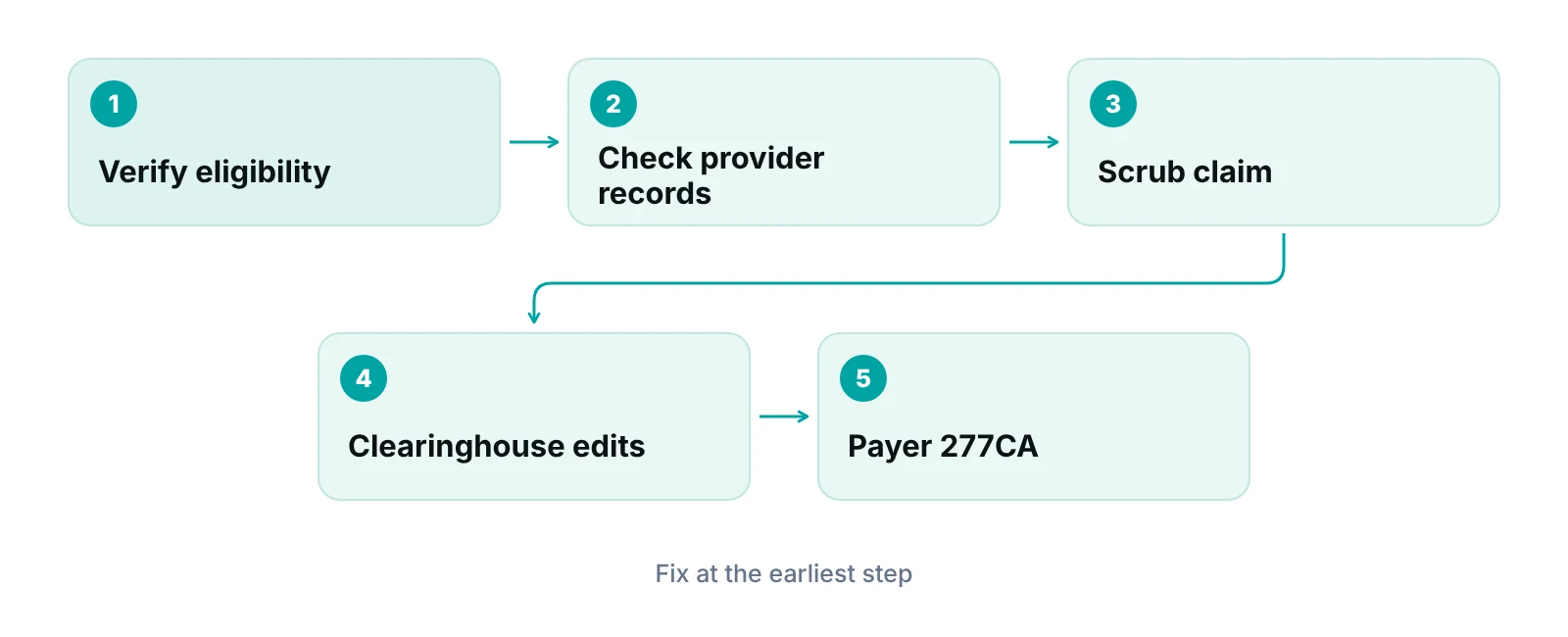
Prevention is cheaper than rework because the data is still in front of you. The question for a practice is where in the workflow to put the check and who owns it.
| Approach | What it catches | Trade-off |
|---|---|---|
| Manual checklist | Provider and payer setup errors if reviewed on a schedule | Depends on one person remembering; weak at volume |
| Clearinghouse edits | Format and required-field errors against payer rules, and rejection reports | Reports problems after you build the claim; payer-specific rules vary by clearinghouse |
| Pre-submission claim scrubbing | Missing or inconsistent data before the claim is sent | Needs rules maintained as payers change them |
| Billing partner who owns the rejection queue | Both of the above, plus follow-up | Cost, and you must still keep provider enrollment records current |
None of these replaces checking eligibility before the visit, because a member ID rejection can only be prevented where the ID is captured. For the detail on the middle two, see our guides to claim scrubbing and clearinghouse rejection codes.
Where a practice management system helps
A rejected claim should not disappear into an inbox. A practice management system that tracks claims by stage shows which claims are held at rejected, who owns each one and how long it has been there. Data-completeness checks before submission and workflow rules that flag a claim for review catch missing fields; they do not replace the payer’s own validation.
Special cases to plan for
Some groups of patients create more identity problems than others. In pediatric practices, a newborn may not yet have coverage under a member ID when services happen, so ask each payer how it wants newborn claims filed and when the baby’s own ID is issued. We found no primary source that gives a rule that applies to every payer, so the answer has to come from the payer’s provider manual.
Find the setup records causing repeat rejections
A free practice audit reviews where your claims are rejected and which provider, payer or member records need correcting. Pricing, if you want help, is quoted afterwards.
What rejections do to your revenue cycle
A rejection delays the claim by however long it takes your team to notice, fix and resubmit it. During that time the claim is not filed in Medicare’s terms. That is the real exposure: not a lost payment, but a claim that sits unseen until the filing window closes.
We have no sourced cost per rejected claim, so we do not quote one. Estimate your own: count rejections last month, multiply by the minutes your staff spent on each, and price those minutes. The revenue calculator can show what slower cash flow looks like at your claim volume.
Our recommendations
- Read the entity code before anything else. It tells you which record to open. Teach every biller to write the full category, status and entity code in the rejection log.
- Keep one verified record per provider. NPI, tax ID, taxonomy, address and payer enrollment in a single place, checked against the source documents each quarter and whenever a provider joins, leaves or moves.
- Verify eligibility before the visit. Capture the card and run the check at scheduling and again at check-in. Member ID rejections are a front-desk problem first.
- Work rejections the same day. Set a rule that a rejection is corrected within one business day. The filing clock does not pause.
- Fix the record, then the claim. If the cause is setup data, correct it at the source and add a note so a second biller does not re-enter the old value.
- Ask for a rejection report by cause. Whether in-house or with a partner, a monthly count by entity and status code shows which setup records to fix next.
Keep rejected claims in view until they are fixed.
The RCM Finder portal tracks every claim by stage with an assigned owner, and workflow rules can flag a claim for review or hold it at a stage. Data-completeness checks run before submission, and the payer still decides what it accepts.
See how the RCM Finder portal works · Create a portal account
Disclosure: RCM Finder builds and sells this portal. It is a practice management system, not an EHR.
Bottom line
The entity code in a rejection is a pointer: it names the party whose data the payer could not accept, so you can fix the right record the first time. Correct the setup record, resubmit as a new claim, and do it before the filing window closes. If rejections repeat and your team is stretched, our denial management services and medical billing services cover the follow-up work, and the free audit shows where your own claims fail first.
Frequently asked questions
What is an entity code in medical billing?
An entity code is a short code in the electronic claim and its acknowledgments that identifies the role of a party: for example the billing provider, rendering provider, subscriber or payer. In a 277CA rejection it tells you which party’s data caused the problem. It is not a procedure code or a diagnosis code.
What is the difference between an entity code rejection and a denial?
A rejection means the claim could not be processed because of missing or invalid information, so it was never adjudicated and is not appealed; you correct and resubmit. A denial means the payer processed the claim and refused payment, and it usually has an appeal route. Medicare treats unprocessable claims as not filed.
Is a bad NPI the most common cause?
Provider NPI problems are on every payer’s reject list, but we found no reliable source that ranks causes by percentage, so we do not claim one. Member ID, tax ID, address and payer problems also appear. Look at your own rejection report by status and entity code to see which cause is yours.
Why does the claim keep rejecting after I fixed it?
Usually the claim was corrected but the record behind it was not. If the provider, payer or member record in your billing system still holds the wrong value, the next claim repeats the error. Correct the setup record, then resubmit, and check the payer’s enrollment data matches.
How long do we have to resubmit a rejected claim?
For Medicare, claims must reach the contractor within 12 months of the date of service, and a returned or rejected claim is not considered filed, so the clock keeps running. Commercial payers set their own limits in the contract. Work rejections quickly rather than relying on the full window.
Do we appeal an entity code rejection?
No. For Medicare, claims returned as unprocessable are not appealable, and an appeal can be returned with a request to refile. Correct the data and submit a new claim. If a commercial payer says otherwise, follow its provider manual.
Get your free practice audit
Tell us about your practice. We will contact you using the details you give.
- A review of your recent claims, denials and A/R aging
- Where your front desk and prior authorizations slow payment
- A prioritized fix list you keep, whether or not you hire us
Pricing is quoted after the audit, based on your volume and the services you choose. Prefer to talk? Call +1 (302) 556-2288.
Sources
- 277CA EDI Edit User Guide — CGS Administrators (Medicare) (2026 (accessed 2026-10-14))
- 277CA / 999 dental companion guide — CGS Administrators (Medicare) (2026 (accessed 2026-10-14))
- Top Provider Questions – EDI — CGS Administrators (Medicare) (2026 (accessed 2026-10-14))
- 5010 reject code lookup help guide — First Coast Service Options (Medicare) (2026 (accessed 2026-10-14))
- CPCT 277CA claim guide (005010X214) — CarePartners of Connecticut (2026 (accessed 2026-10-14))
- Claim rejection notifications — CareSource (2026 (accessed 2026-10-14))
- 45 CFR 162.410 Implementation specifications: health care providers — eCFR / HHS (current (accessed 2026-10-14))
- Returned or rejected as unprocessable claims affect timely filing — First Coast Service Options (Medicare) (2026 (published 2026-02-17))
- What you should do with claims returned as unprocessable — First Coast Service Options (Medicare) (2026 (accessed 2026-10-14))
Disclaimer: This article is educational and is not legal, coding, billing or compliance advice. Reject codes and rules vary by payer, Medicare contractor and clearinghouse, and they change. Check the current payer manual and your contract before you act.
